Digital planners are everywhere—from Pinterest productivity boards to TikTok “plan with me” videos—but if you’re a beginner, you might be wondering:
“How do I actually use a digital planner?”
“Do I need special apps or an iPad?”
“Is it really better than paper planning?”
You’re not alone. This guide is designed specifically for beginners who want a simple, stress-free, step-by-step introduction to digital planning—without tech overwhelm.
By the end of this guide, you’ll know exactly how to use a digital planner, which apps work best, how to customize it, and how to build a planning routine you’ll actually stick to.
What Is a Digital Planner? (Beginner Explanation)
A digital planner is a reusable, interactive planning system you use on a tablet, phone, or computer instead of paper.
Unlike traditional planners, digital planners allow you to:
- Write using a stylus or keyboard
- Duplicate pages endlessly
- Undo mistakes instantly
- Reuse the planner every year
- Add stickers, hyperlinks, and color-coding
- Sync across devices (depending on the app)
Most digital planners are PDF-based and designed to work with note-taking apps like GoodNotes, Notability, or Noteshelf.

Why Beginners Love Digital Planners
Digital planners are especially popular with beginners because they are:
- ✔ Cost-effective (buy once, reuse forever)
- ✔ Eco-friendly (no paper waste)
- ✔ Flexible (daily, weekly, monthly layouts)
- ✔ Customizable (colors, layouts, stickers)
- ✔ Beginner-friendly once set up correctly
If you’ve ever felt overwhelmed by messy notebooks or abandoned planners mid-year, digital planning offers a clean reset.
What You Need to Start Using a Digital Planner (Beginner Setup)
1. A Device
You can use a digital planner on:
- iPad (most popular)
- Android tablet
- Laptop or desktop computer
- Smartphone (less ideal, but possible)
👉 Beginner Tip: An iPad + Apple Pencil offers the smoothest experience, but it’s not required.
2. A Planning App
You’ll need an app that lets you write on PDFs.
Best digital planner apps for beginners:
- GoodNotes (most beginner-friendly)
- Notability
- Noteshelf
- Xodo (free option)
3. A Digital Planner File
Most planners come as:
- PDF digital planners
- Hyperlinked planners
- Undated planners (best for beginners)
How to Use a Digital Planner: Step-by-Step for Beginners
Step 1: Download Your Digital Planner
After purchase, you’ll usually receive:
- A PDF file
- A download link
- Instructions from the seller
Save the file to your device or cloud storage.
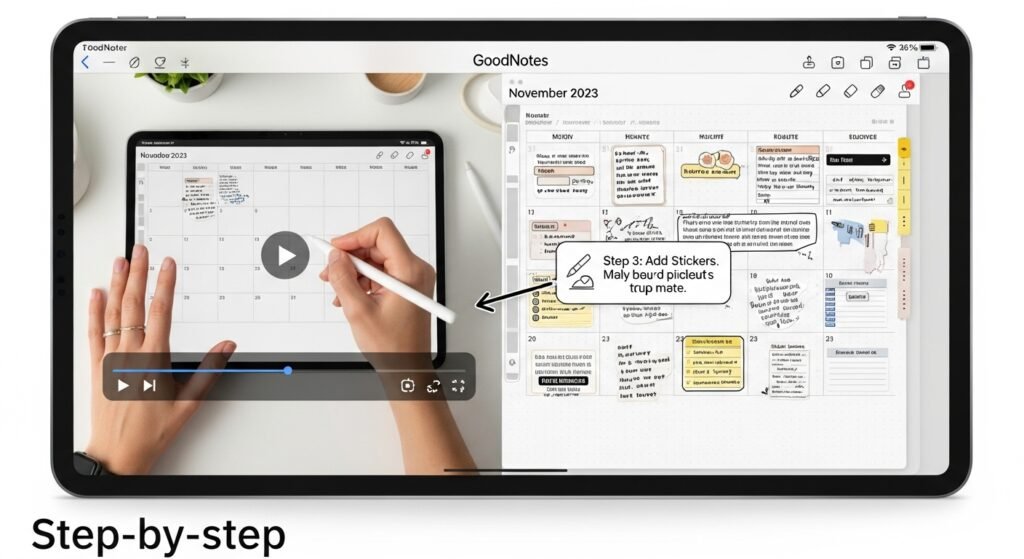
Step 2: Import the Planner Into Your App
Open your planning app and:
- Tap “Import” or “+”
- Select your planner PDF
- Open it as a new notebook
Once imported, your planner becomes interactive.
Step 3: Learn Basic Navigation
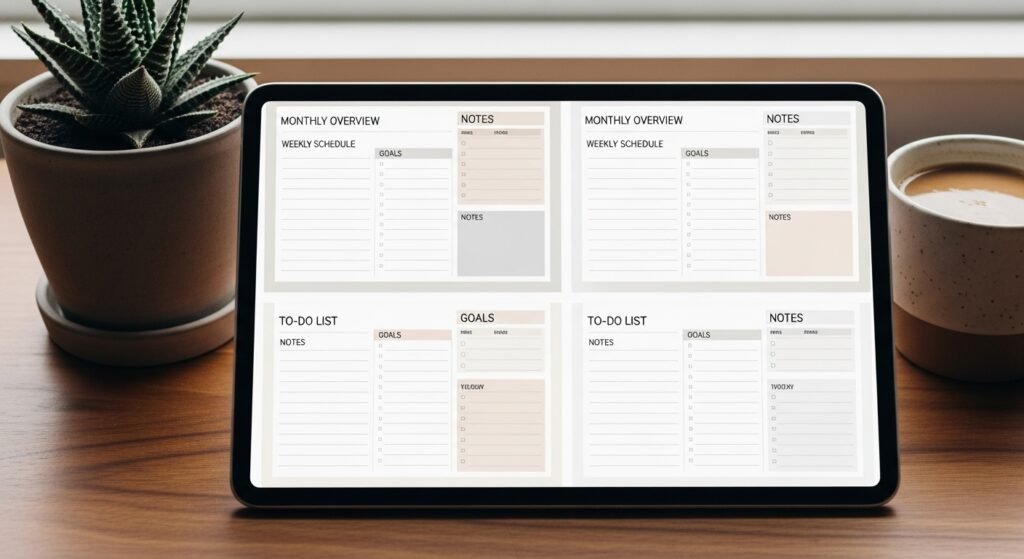
Most digital planners include:
- Clickable tabs (months, weeks, sections)
- Hyperlinked calendars
- Shortcut buttons
👉 Beginner Tip: Tap, don’t swipe, when using hyperlinks.
Step 4: Choose Your Planning Style
Start simple. Beginners often do best with:
- Weekly planning
- Daily to-do lists
- Monthly overview pages
Avoid trying to use every page at once.
Step 5: Write, Type, or Draw
You can:
- Handwrite using a stylus
- Type using a keyboard
- Highlight important tasks
- Use colors to categorize life areas
There’s no “right” way—consistency matters more than aesthetics.

Digital Planner vs Paper Planner (Beginner Comparison)
| Feature | Digital Planner | Paper Planner |
|---|---|---|
| Reusable | ✅ Yes | ❌ No |
| Customizable | ✅ Unlimited | ⚠ Limited |
| Undo mistakes | ✅ Yes | ❌ No |
| Portability | ✅ Multiple devices | ⚠ One notebook |
| Stickers & icons | ✅ Infinite | ❌ Limited |
| Beginner-friendly | ✅ Once set up | ⚠ Can feel rigid |
Winner for beginners: Digital planners—especially undated ones.
Beginner-Friendly Digital Planning Tips
1. Start Undated
Undated planners remove pressure and guilt if you skip days.
2. Use Only 1–2 Sections at First
Weekly planning + to-do lists is enough to build the habit.
3. Don’t Chase Perfection
Digital planning isn’t about aesthetics—it’s about clarity.
4. Save a Blank Copy
Always keep an untouched version to restart anytime.
5. Plan at the Same Time Each Day
Consistency beats motivation.
Common Beginner Mistakes (And How to Avoid Them)
❌ Downloading too many planners
❌ Overdecorating instead of planning
❌ Switching apps constantly
❌ Trying advanced layouts too soon
❌ Expecting instant productivity
FAQs: Digital Planners for Beginners
What is the easiest digital planner for beginners?
Undated PDF planners used with GoodNotes or Noteshelf are the easiest for beginners.
Do I need an iPad to use a digital planner?
No. You can use a digital planner on tablets, phones, or computers, but iPads provide the best experience.
Are digital planners hard to learn?
No. Most beginners feel comfortable within 30 minutes once the planner is imported correctly.
Can I reuse my digital planner every year?
Yes. Most digital planners are reusable and undated.
Is a digital planner better than paper for productivity?
For many users, yes—because digital planners are flexible, editable, and always accessible.
Who Should Use a Digital Planner?
Digital planners are perfect for:
- Students
- Busy parents
- Entrepreneurs
- Creatives
- Anyone who loves structure without clutter
If you enjoy flexibility, customization, and organization, digital planning is worth trying.
Final Thoughts: Is Digital Planning Worth It for Beginners?
Absolutely.
Digital planners remove pressure, reduce waste, and adapt to your lifestyle—not the other way around. The key is starting simple, choosing the right app, and giving yourself time to build the habit.
✨ About Artisan Anthology
At Artisan Anthology, we curate timeless digital creations designed to inspire and elevate every part of your lifestyle. Our collection includes brand books, digital templates, recipes, ebooks, wardrobe planners, fashion guides, printable wall art, and elegant home décor designs. We also specialize in wedding cards, invitations, baby shower cards, and engagement cards, each crafted to celebrate life’s most meaningful moments.
For professionals and dreamers alike, our CV templates, guided journals, and manifestation planners are created with intention to help you tell your story beautifully and authentically.
✨ Discover our full collection of digital planners here → ArtisanAnthology.xyz