Digital planners aren’t just aesthetic tools you see on Pinterest or Instagram—they are powerful productivity systems when used correctly. If you’ve ever wondered:
- How do I use a digital planner for productivity?
- Why does my planner look good but not actually help me get things done?
- Is digital planning really better than paper for staying productive?
This guide answers all of that—and more.
You’ll learn how to use a digital planner strategically, not decoratively, so it becomes a daily productivity engine instead of another abandoned tool.

What Is a Digital Planner for Productivity?
A digital planner for productivity is a reusable, interactive planning system—usually a PDF—used inside a note-taking app (like GoodNotes or Notability) to help you:
- Prioritize tasks
- Manage time intentionally
- Reduce mental clutter
- Track progress and goals
- Build consistent routines
Unlike paper planners, digital planners allow editing, duplication, undoing mistakes, and flexible layouts, making them ideal for productivity-focused users.
Why Digital Planners Boost Productivity (Science + Strategy)
Digital planners improve productivity because they combine clarity, flexibility, and visibility.
Key Productivity Benefits
- ✔ Fewer abandoned planners (undated + reusable)
- ✔ Less decision fatigue
- ✔ Faster task migration
- ✔ Clear daily focus
- ✔ Easy review and reflection
When your planner adapts to your workflow, productivity follows.
What You Need to Use a Digital Planner Productively
1. A Device
- iPad (most popular)
- Android tablet
- Laptop or desktop
- Smartphone (limited but possible)
3. A Productivity-Focused Digital Planner
Look for planners with:
- Daily + weekly pages
- Priority sections
- Time blocking layouts
- Minimal design
- Undated format

How to Use a Digital Planner for Productivity (Step-by-Step)
Step 1: Plan Weekly, Execute Daily
High productivity comes from weekly clarity + daily focus.
- Use weekly pages to:
- Set goals
- Identify deadlines
- Choose weekly priorities
- Use daily pages to:
- Execute tasks
- Time block
- Track progress
Step 2: Use the “Top 3” Rule Daily
Instead of overwhelming to-do lists:
- Choose 3 high-impact tasks
- Everything else is optional
👉 This prevents burnout and boosts completion rates.
Step 3: Time Block for Focus
Time blocking turns intention into action.
How to do it:
- Schedule fixed commitments first
- Block deep work sessions
- Leave buffer time
Productivity Tip: Don’t block every minute—leave space for reality.
Step 4: Use One Planner—Not Many
Using multiple planners reduces productivity.
Stick to:
- One digital planner
- One app
- One planning routine
Consistency beats complexity.
Step 5: End Each Day With a 5-Minute Review
At the end of the day:
- Check off completed tasks
- Migrate unfinished tasks
- Write one reflection note
This creates momentum for tomorrow.

Digital Planner vs Paper Planner for Productivity
| Feature | Digital Planner | Paper Planner |
|---|---|---|
| Reusable | ✅ Yes | ❌ No |
| Undo mistakes | ✅ Yes | ❌ No |
| Task migration | ✅ Easy | ❌ Messy |
| Custom layouts | ✅ Unlimited | ❌ Fixed |
| Productivity tracking | ✅ High | ⚠ Medium |
| Long-term efficiency | ✅ High | ⚠ Lower |
Winner for productivity: Digital planners.
Best Digital Planner Layouts for Productivity
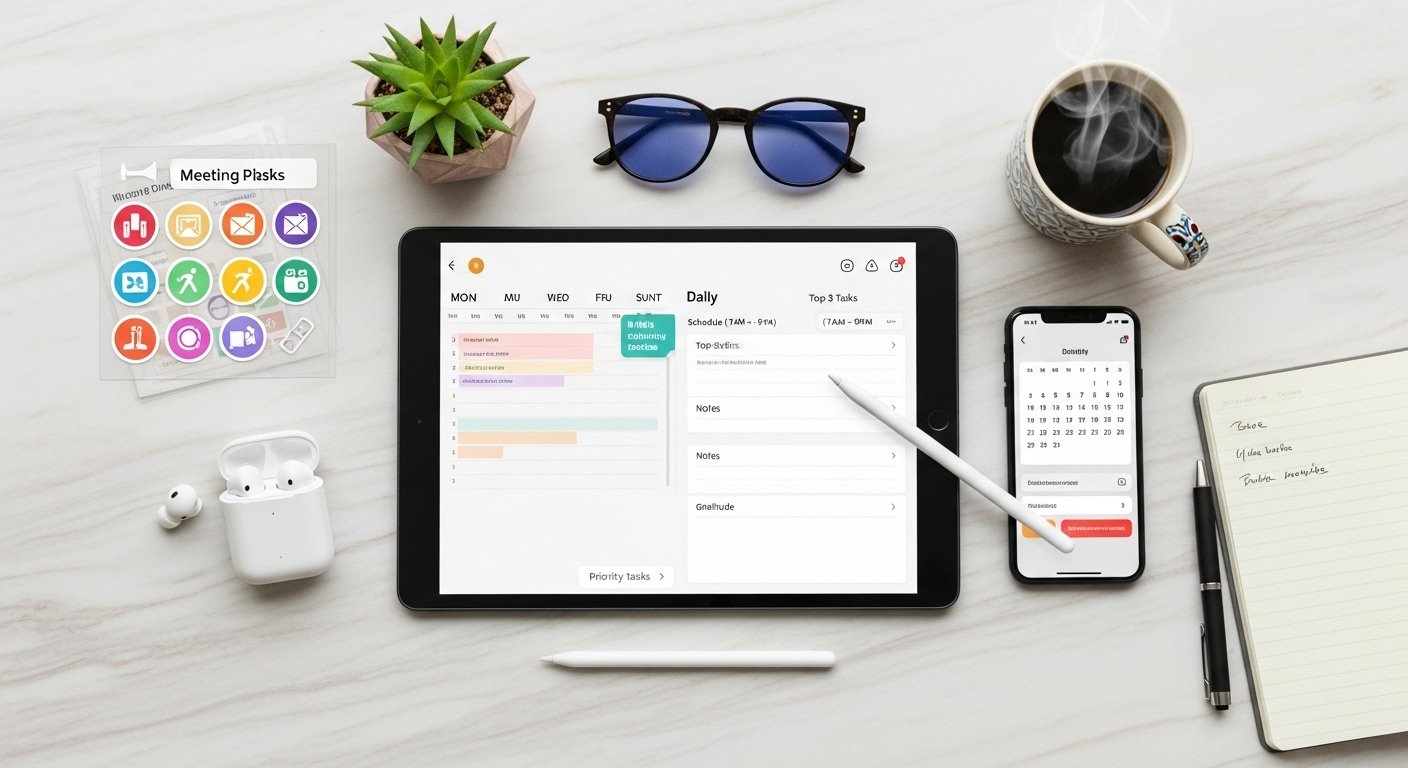
Daily Productivity Layout
- Top 3 priorities
- Time block schedule
- Task list
- Notes section
Weekly Productivity Layout
- Weekly goals
- Task batching
- Appointments
- Focus themes
Monthly Overview
- Deadlines
- Projects
- Habit tracking
Common Productivity Mistakes With Digital Planners
❌ Planning too much
❌ Decorating instead of executing
❌ Switching planners weekly
❌ Filling every section daily
❌ Skipping review sessions
Fix: Use your planner as a decision tool—not a design project.
How to Customize Your Digital Planner for Maximum Productivity
- Color-code work vs personal tasks
- Duplicate your best daily page
- Hide unused sections
- Create a master task list
- Save a clean backup copy
👉 Productivity Rule: If a section doesn’t help you take action, remove it.

FAQs: Digital Planner Productivity
How do you use a digital planner to stay productive?
Plan weekly, focus daily, use time blocking, and review your progress every evening.
Are digital planners better for productivity than paper planners?
Yes—because they are reusable, flexible, and easier to adjust as priorities change.
How many tasks should I plan per day?
Focus on 3–5 meaningful tasks for best productivity.
Do digital planners help with time management?
Yes. Time blocking and daily pages improve time awareness and focus.
Is a digital planner good for ADHD productivity?
Yes. Daily pages and flexible layouts are especially ADHD-friendly.
Who Should Use a Digital Planner for Productivity?
Digital planners are ideal for:
- Entrepreneurs
- Students
- Remote workers
- Busy parents
- Creatives
- Goal-driven individuals
If your days feel scattered, digital planning brings structure without rigidity.
Final Thoughts: Turning Your Digital Planner Into a Productivity System
A digital planner only works if it helps you decide, focus, and act.
You don’t need:
❌ Perfect handwriting
❌ Fancy stickers
❌ Every section filled
You need:
✔ Clear priorities
✔ A simple system
✔ Consistent use
✨ About Artisan Anthology
At Artisan Anthology, we curate timeless digital creations designed to inspire and elevate every part of your lifestyle. Our collection includes brand books, digital templates, recipes, ebooks, wardrobe planners, fashion guides, printable wall art, and elegant home décor designs. We also specialize in wedding cards, invitations, baby shower cards, and engagement cards, each crafted to celebrate life’s most meaningful moments.
For professionals and dreamers alike, our CV templates, guided journals, and manifestation planners are created with intention to help you tell your story beautifully and authentically.
✨ Discover our full collection of digital planners here → ArtisanAnthology.xyz